
Key Takeaways
- 01InvoiceOwl is built for contractors, with estimates, e-signatures, QuickBooks Online sync, and multi-company management, and offers a free trial
- 02Zoho Invoice, Square, ZipBooks, Invoice Ninja, and Hiveage all offer genuinely free plans — but each caps users, clients, or features
- 03Free tiers have tightened: Bookipi's free plan now limits how many invoices you can send per month, and Invoice Ninja's hosted free plan caps you at 5 clients
- 04Most Mac-compatible invoicing tools integrate with payment gateways like PayPal, Stripe, and Apple Pay
- 05Prioritize real-time invoice tracking, e-signatures, multi-company support, and automation when comparing tools
Managing invoices manually is a hassle, especially when invoicing software for Mac can simplify the process and save you time.
If you're running your business on a Mac, you need invoicing software that keeps things simple—without adding to your stress or your expenses.
In this review, we've rounded up the top 10 invoicing tools for Mac users, including free plans and free trials. These tools help you streamline your invoicing process, allowing you to create professional invoices with ease. (Not tied to a Mac? See our broader guide to the best invoicing software.)
From customizable invoice templates to automated reminders and expense tracking, you'll find solutions that fit your needs without costing a dime.
How Do We Select the Best Free Invoice Software for Mac?
Our selection process involved a thorough evaluation to ensure the recommendations are reliable and tailored for Mac users. We analyzed reputable review platforms like G2, Capterra, and TrustRadius, focusing on tools with verified user reviews and high ratings, and checked each tool's macOS compatibility, ease of use, and overall functionality.
Additionally, we considered feedback from freelancers and small business owners who actively use invoicing tools on their Macs. Core features such as automation, customization, and expense tracking were weighed against each tool's current pricing so the list reflects tools that are both practical and efficient for Mac users. Pricing changes often, so treat the figures below as starting points and confirm current rates on each vendor's site.
The Best Invoicing Software for Your Mac
1. InvoiceOwl
Best for invoice generation for contractors
InvoiceOwl is an estimate and invoicing software developed specifically for small businesses, entrepreneurs, freelancers, and general contractors in the HVAC, construction, carpentry, and plumbing & landscaping industries.
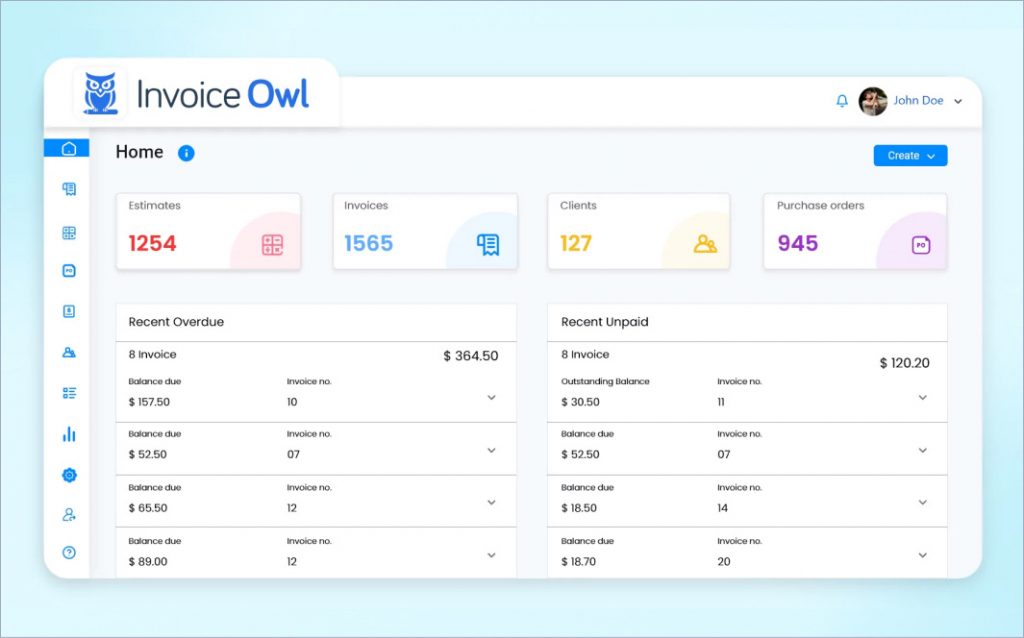
Users can create and send professional PDF invoices and estimates in minutes while on the go.
InvoiceOwl is available on the web and as a mobile app, so it works seamlessly alongside your Mac. It is easy to use and quick to understand. It includes specialist features that help contractors win more business and get quick client payments to help your business grow and improve cash flow.
Furthermore, as a solopreneur, you can manage multiple companies, customize invoices, approve documents with e-signatures, and generate reports to review the financial health of your business.
Features
Pros and cons
- User-friendly interface and multi-platform availability, making it easy for users to create and send invoices
- Customizable invoice templates enable users to create professional invoices and simplify their financial management
- Works well for small businesses but lacks the enterprise-level analytics features larger enterprises require
- Users need a separate accounting tool for comprehensive bookkeeping (though it syncs with QuickBooks Online)
Pricing
Free trial, no credit card required — see the InvoiceOwl pricing page for current plans
Try InvoiceOwl on your Mac and streamline your invoice generation. The platform offers a seamless experience for contractors and small business owners looking to automate their billing process.
2. Zoho Invoice
Best for small businesses using Zoho tools
Zoho Invoice is a popular invoicing software for Mac for small businesses and freelancers to manage their billing process with ease. It is a part of the Zoho suite of products and offers a free plan with robust features.
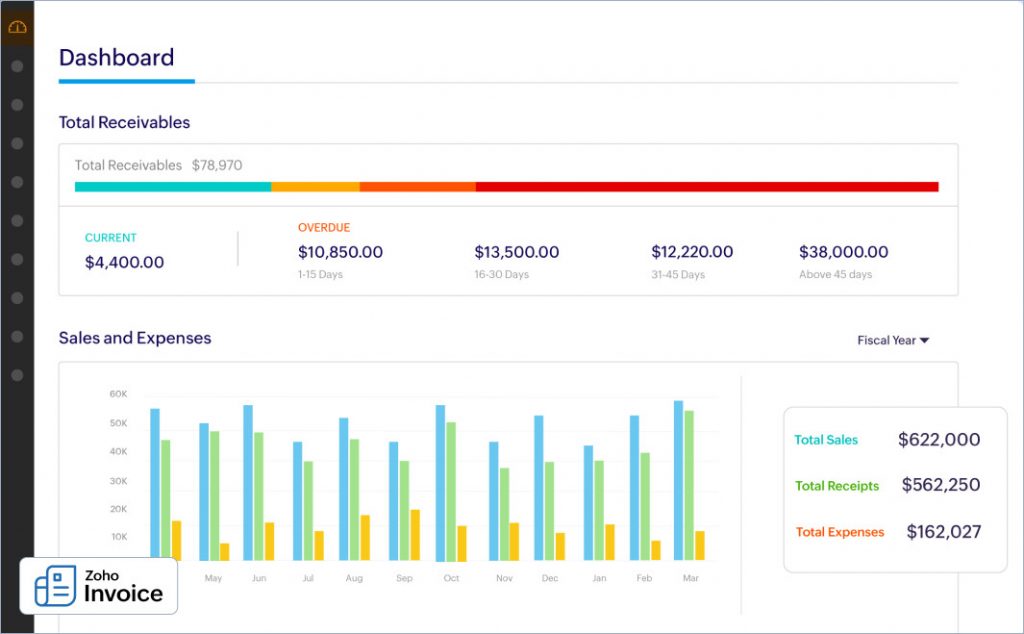
Small businesses using Zoho Invoice can track estimates, convert them to invoices, and send auto-reminders for remaining payments.
Zoho Invoice also works best on your Mac if you're using other Zoho tools, as it seamlessly integrates with other Zoho products, providing a unified experience for business management.
Features
- Automated invoicing: Allows users to set up repeat invoices, send reminders for unpaid invoices, and create workflows to reduce manual effort.
- Multi-currency support: Supports multi-currency and multi-language options, making it easier for businesses to manage invoice estimates with a global clientele.
- Online payment integration: Integrates with various payment gateways such as PayPal & Stripe, making it easier for clients to pay online.
Pros and cons
- Multiple users have mentioned that the platform is easy to use and requires minimal training
- Users with a global clientele specifically appreciate the multi-currency and language support
- Customers feel that Zoho Invoice can prove to be more beneficial if it includes third-party integrations, especially with non-Zoho tools
- While Zoho Invoice offers a free plan, some users find its limitations (e.g., user cap) restrictive
Pricing
Free plan (up to 2 users)
Paid plans start at about $10/month
3. Square
Best for small businesses needing integration with payment processing
Square Invoices is a user-friendly invoice maker software targeted towards small business owners and freelancers. It provides an integrated payment process where businesses can get paid faster using automation and mobile access features.
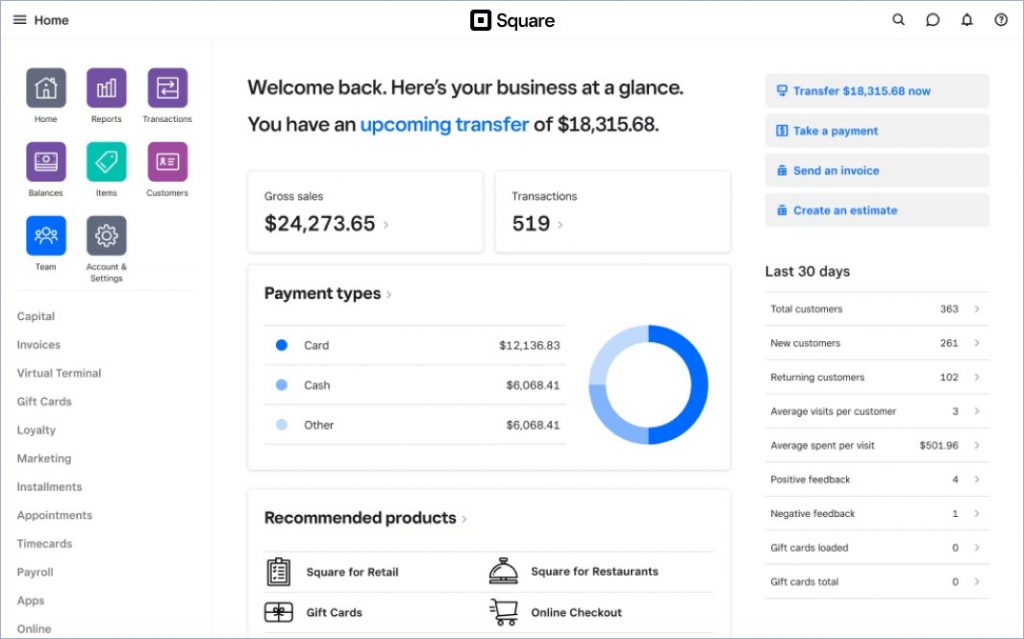
Square Invoices has a free plan with no monthly subscription — you pay only card processing fees when a client pays — making it a popular option for those looking to streamline their billing process without incurring additional monthly fees.
The best part is that if you're already using Square payments, you can easily integrate invoices with the same, allowing clients to pay directly through the invoice using credit cards, debit cards, or mobile wallets like Apple Pay.
Features
- Recurring billing: Provides a platform to automatically set up recurring billing for repeat clients, thereby saving your time in preparing invoices from scratch.
- Automated reminders: Allows you to send automatic payment reminders before, on, or after the due date, and reduces overdue invoices.
- Insightful reporting: Facilitates a detailed overview of your financial health, locations, employees, items, and services that help you track your business performance and make informed decisions.
- Real-time tracking: Provides you with real-time updates on your invoices by tracking the progress of the invoices that are paid, unpaid, and overdue.
Pros and cons
- Square Invoices offers a clean, easy-to-use dashboard that provides considerable room for customization
- The tracking feature is a major plus for users, where they can track when a client has viewed their invoice and when they have made a payment
- Advanced features like milestone-based payment schedules and custom fields require the paid Invoices Plus subscription
- Some users faced issues with invoice processing, such as not being able to remove custom fields once added, and difficulty finding saved drafts
Pricing
Free plan — you pay only card processing fees (around 3.3% + 30¢ per online invoice payment)
Invoices Plus adds advanced features for a monthly subscription; Square lists current rates on its pricing page
4. FreshBooks
Best for project management for small and mid-sized businesses
FreshBooks is a versatile Mac invoicing software and accounting software that caters to freelancers and small business owners.
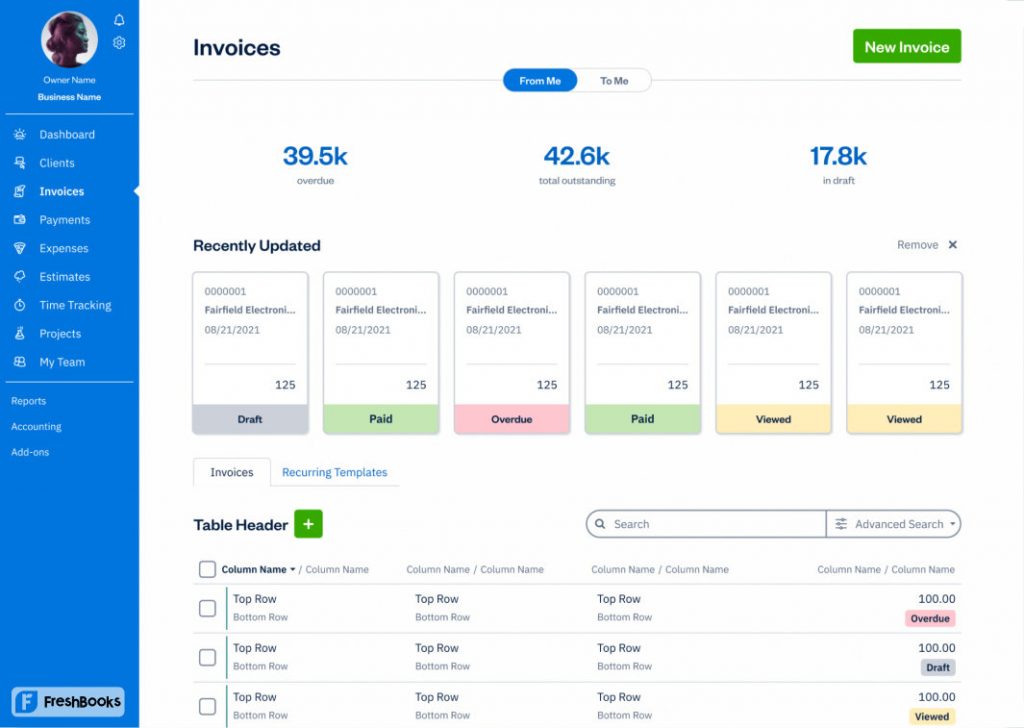
The platform offers an intuitive experience for Mac users and offers a free trial where you can access its robust features. The popular ones include customizable invoices, expense tracking, and time management tools.
FreshBooks also offers seamless compatibility for Mac users that enables easy access and navigation from your desktop or mobile devices. Its automation features, such as recurring billing and reminders, streamline the billing process. Thus, making it a solid choice for solopreneurs looking to keep proper business reports and accounting records.
Features
- Customize invoices: Allows you to create branded invoices with your logo, colors, and personalized messages.
- Expense tracking: Facilitates you to track expenses by linking your bank account and categorizing expenses for more accurate reporting.
- Time tracking: Allows you to keep track of billable hours and add them directly to invoices, making it perfect for freelancers charging hourly rates.
- Automated invoice processing: Provides you the option to send automated reminders, securely charge your client's credit card, and follow up with clients whenever necessary.
Pros and cons
- FreshBooks provides a clean and intuitive design, making invoicing and managing finances straightforward
- Users experience top-notch customer support whenever they contact the support team for any roadblocks
- Every plan is single-user by default — adding team members costs extra per person each month
- The entry-level Lite plan caps the number of billable clients, which can force an upgrade as you grow
Pricing
Free trial
Lite plan starts at about $23/month billed monthly (discounts for annual billing, and promotional rates are common)
5. Paymo
Best for teams and freelancers managing projects and invoicing
Paymo is a project management tool with built-in features that make it an ideal choice for Mac users seeking a free invoicing solution. It provides numerous invoicing and estimate generation features that facilitate users to create invoices directly from tracked work or projects.
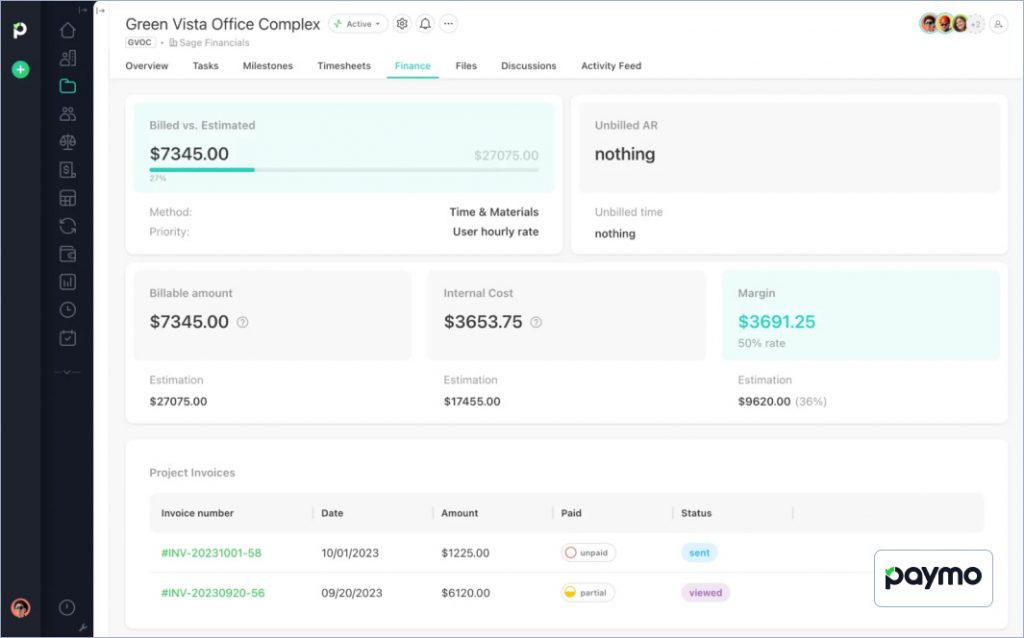
Paymo helps small teams and freelancers who need to bill clients based on project milestones or time spent on a particular project.
Paymo's Mac compatibility ensures smooth integration, and its user-friendly interface allows for easy management of tasks, time, and invoicing from one place.
Features
- Send invoices: Allows you to create and send customized invoices to your clients. You can also clone previous invoices so you don't have to start from scratch every time.
- Payment automation: Includes payment automation features that help you streamline invoice generation. You can set automated reminders for overdue payments and ensure timely follow-ups.
- Expense tracking: Facilitates you to keep track of expenses for accurate billing and project profitability.
- Project management: Provides a single platform to manage tasks, deadlines, and projects, ensuring everything stays organized.
Pros and cons
- Users like that Paymo offers a comprehensive view of hours worked, unbilled amounts, and milestones while generating invoices
- Customers specifically applaud the tracking feature where users can track each project, assigned team members, billing amount, etc.
- Some Mac and iOS users have had issues with Paymo's UX design; the mobile app on iOS doesn't have all the features of the cloud app
- The free invoicing templates are not very user-friendly, as users sought better incorporation between project templates and estimating capacity
Pricing
Free plan for solo users
Paid plans start at about $5.90 per user/month
6. Bookipi
Best for businesses seeking a simple mobile invoicing solution
Bookipi is an invoice processing tool and accounting software with a user-friendly interface, allowing small businesses and freelancers to send professional invoices within minutes and keep all the credit notes whenever required.
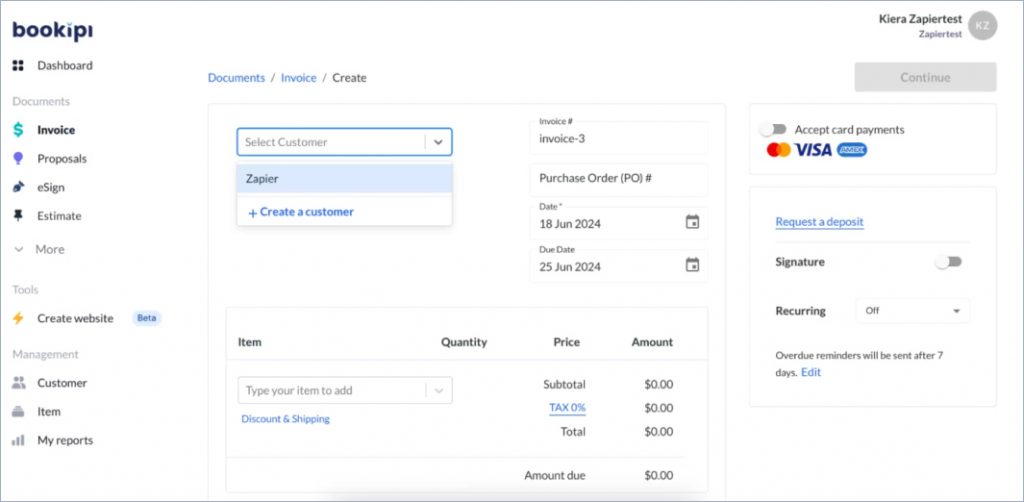
The app is compatible with Mac and offers a free tier alongside affordable paid plans — though the free plan now caps how many invoices you can send each month, so businesses that invoice frequently will need a paid tier.
Bookipi provides features like payment tracking, instant notifications when clients check invoices, and expense management. It also offers seamless compatibility with Mac, and users can easily download it from the Mac App Store, giving users flexibility and ease of use on their devices.
Features
- Quick invoice creation: Allows you to create and send professional invoices in minutes, which is handy for freelancers and small businesses.
- Multi-currency support: Supports multiple currencies, making global transactions simple for businesses with international clients.
- Invoice tracking: Provides notifications on your mobile when customers have read your invoice and allows you to follow up on unpaid invoices by scheduling reminders for payment.
- Cloud sync: Ensures that all your data is synced across devices, so you can access and manage invoices on Mac or any other devices.
Pros and cons
- Bookipi makes it easy for individuals to create and send invoices, even for those without much technical experience
- Users appreciate the customization options on Bookipi where they can edit and add information that aligns with their branding
- The free plan limits how many invoices you can send per month, which no longer suits high-volume billers
- Customers have experienced glitches where a paid invoice doesn't leave the list until you refresh the page, and customer emails stop working
Pricing
Free plan (limited number of invoices per month)
Paid plans start at about $7.60/month billed annually
7. Invoice Ninja
Best for client management for small businesses
Invoice Ninja is an invoicing tool where users can create unlimited invoices for a small client base at no cost. Freelancers and small businesses can leverage its free hosted plan, which is compatible with Mac, or self-host the open-source version for free.
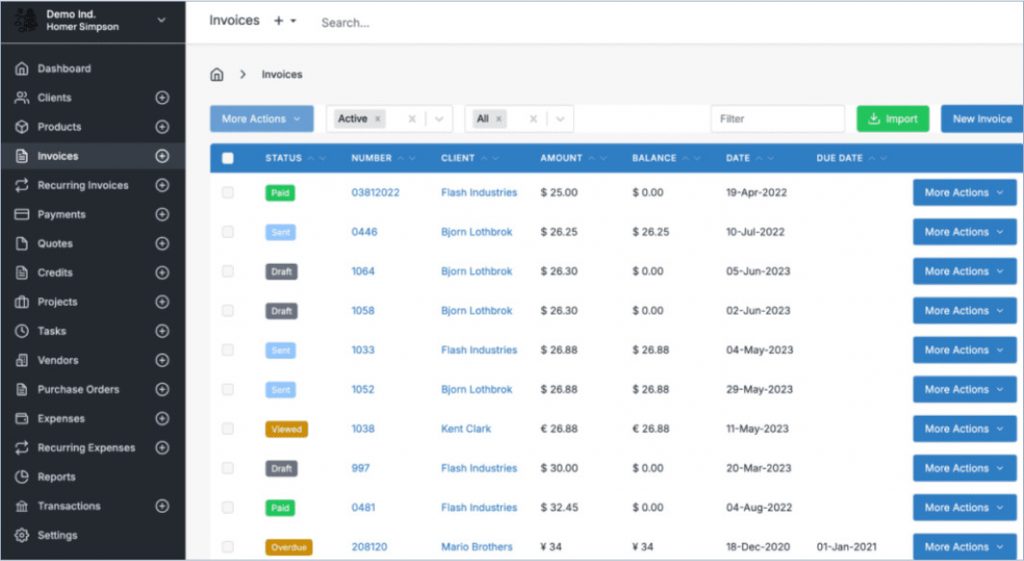
The platform offers numerous features, such as customizable invoice templates, expense tracking, and time tracking, that help users streamline their billing processes.
Invoice Ninja offers a cloud-based environment that ensures invoices can be accessed and managed from any device, including Macs. It also offers integrations with various payment gateways for easy client payments.
Features
- Create quotes in real-time: Provides a real-time PDF preview creation that shows your invoice review as you build it.
- Time tracking: Allows you to log billable hours and automate calculations for creating invoices for accurate billing.
- Multiple payment gateways: Provides numerous payment gateways such as PayPal and Stripe, allowing users to accept payments through suitable platforms.
- Recurring invoices: Allows users to automate the billing process for recurring invoices so that users don't spend time creating invoices from scratch for regular clients.
Pros and cons
- Invoice Ninja provides a visually appealing interface which has improved significantly in recent updates, making it easier to navigate and use
- Users value the open-source nature, as it enables self-hosting and customization to meet diverse business needs
- The free hosted plan caps you at 5 clients, so growing businesses will need a paid plan
- Users have experienced inconsistent customer support where a few responses were brief and unsatisfactory
Pricing
Free hosted plan (unlimited invoices, up to 5 clients); self-hosting the open-source version is free
Ninja Pro starts at about $10/month
8. ZipBooks
Best for businesses seeking both accounting and invoicing needs
ZipBooks is a free invoicing solution and accounting software for small businesses and freelancers. It helps users streamline invoicing, reduce bookkeeping time, and increase payment speed. Users can create invoices, track time, and projects, and manage billing details with ease.
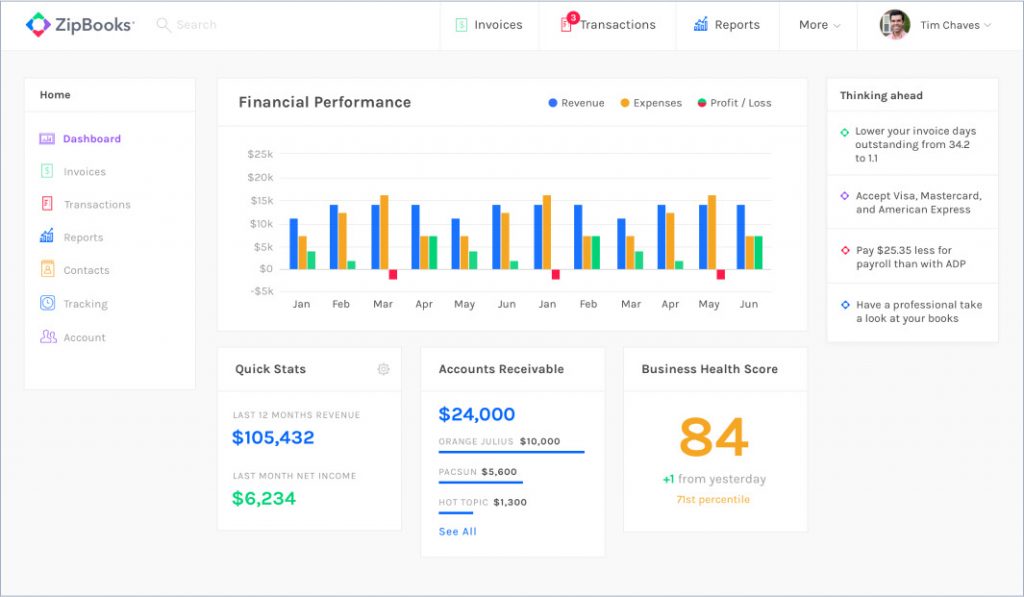
Users can access ZipBooks from any device, including mobile and Mac, allowing users to send invoices on the go. Its clean, professional templates simplify client communication and eliminate confusion.
With features like auto-billing, project management, and team collaboration, ZipBooks stands out as a robust, user-friendly invoicing tool.
Features
- Invoicing & billing: Enables you to create and send professional-looking invoices, customize templates, and automate recurring invoices.
- Project management: Allows you to organize projects, set budgets, and monitor progress. With continuous tracking, you can keep projects financially on track.
- Expense management: Helps users categorize and manage expenses efficiently by allowing them to attach receipts and track spending directly in the app.
- Payment processing: Integrates with multiple payment platforms, making it easy for clients to pay invoices online.
Pros and cons
- Users value the free plan for enabling unlimited invoices and client management on Mac, making it ideal for small businesses and freelancers
- ZipBooks offers a clean and intuitive interface that makes it easy for users to simplify financial management tasks
- Users seek more payment options like Moneris, which is currently missing
- ZipBooks only offers limited invoice template customization, allowing only basic modifications like color changes instead of layout customizations
Pricing
Free Starter plan (1 user, unlimited invoices)
Smarter plan starts at $15/month
9. Invoicera
Best for managing multiple users and currencies
Invoicera is an all-in-one automated billing software that offers tools for customizable invoicing, financial management, client/vendor management, and integration with existing ERP/CRM solutions.
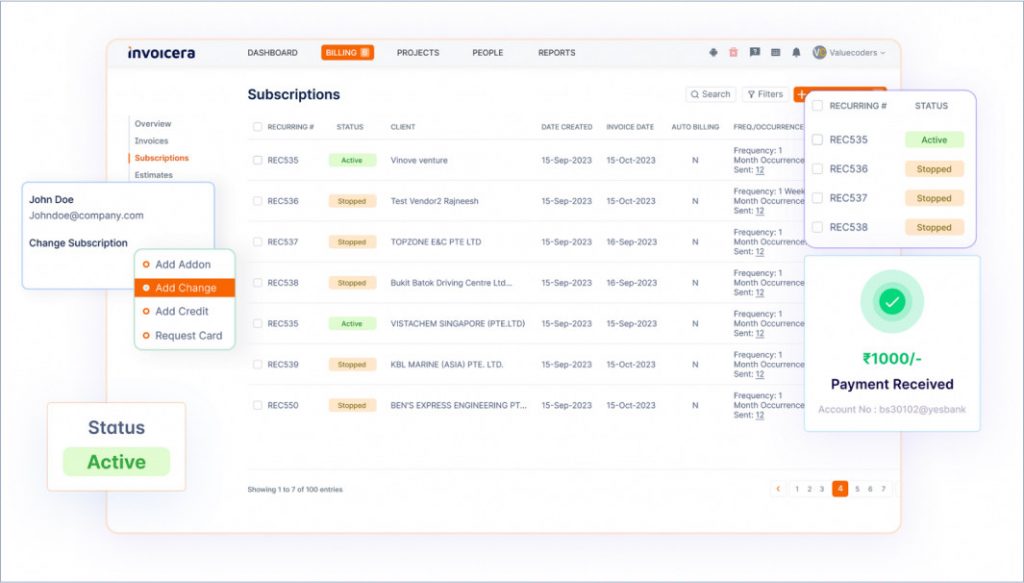
The key features include online invoicing, recurring billing, global tax compliance, multi-currency support, and advanced reporting.
Invoicera offers compatibility with various platforms, such as iOS, Mac, and Android. Users can streamline workflows, enhance productivity, and improve cash flow with payment alerts and automated reminders. It also provides integration options with third-party tools for optimized business operations.
Features
- Customizable invoices: Allows users to design invoices that align with their brand. It also offers numerous templates with customization options.
- Recurring billing: Facilitates freelancers and consultants to bill by the hour with POS systems and time-based billing.
- Multi-currency support: Supports invoicing in multiple currencies and languages, helping users manage international clients with ease.
- Advanced reporting: Provides robust reporting tools that offer detailed insights into financial operations, invoice statuses, and payment cycles.
Pros and cons
- Users appreciate the customization features that allow them to tailor their invoice designs to match their brand
- Invoicera allows users to create time-based invoices, making the whole process less time-consuming
- Pricing has moved upmarket — entry plans now cost noticeably more than most tools on this list, which can be steep for solo users
- Invoicera also has a challenging learning curve for some users who find the interface complicated
Pricing
Free trial
Paid plans start at about $50/month billed annually
10. Hiveage
Best for businesses seeking recurring billing and multiple payment gateways
Hiveage is an invoicing software for small businesses and freelancers that allows users to create and send professional invoices. It offers an intuitive interface with numerous templates, supports recurring billing, and integrates with various payment gateways.
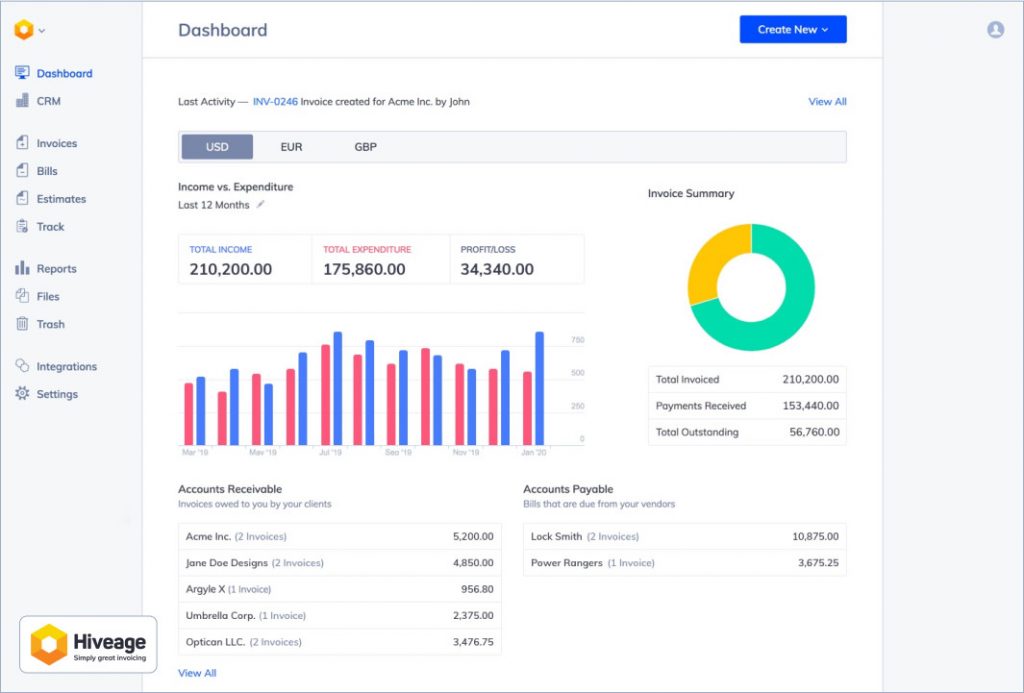
Users can track time, and expenses, and generate detailed financial reports, all accessible from any device. The tool has a strong focus on simplicity and efficiency that helps businesses streamline their billing processes while maintaining a professional appearance.
Features
- Invoice creation: Offers a simple and intuitive interface for designing invoices, allowing users to customize their branding and invoice details.
- Time & expense tracking: Enables tracking of the number of hours worked, expenses incurred, and mileage, which can be converted into invoices.
- Payment integration: Integrates with payment gateways like PayPal and Stripe, allowing businesses to easily accept online payments.
- Reporting: Generates detailed financial reports to monitor income, expenses, and accounts, thereby helping manage cash flow.
Pros and cons
- Users have mentioned that Hiveage is relatively easy to use compared to other Mac invoicing software
- Its time tracking and expense management features are efficient, and users have mentioned they lead to increased productivity
- Several users expressed frustration over the lack of robust automation features, which hinders workflow efficiency
- Customers also feel Hiveage could provide more customization options to better tailor the platform to business needs
Pricing
Free plan (up to 5 clients)
Basic plan starts at $16/month
Factors to Consider While Choosing Free Invoice Software for Mac
Before you opt for free invoice software for Mac, make sure that the tool has everything you want to improve the invoice generation process.
Check out the factors to consider while choosing an invoicing software:
Scalability
Even if you're a freelancer or a small business, you need a solution that can adjust to a growing customer base. Scalable software like InvoiceOwl offers tiered pricing plans or advanced features, such as automating reminders and generating reports for timely payments.
Real-time Notifications
Real-time notifications are important for keeping track of invoice status. Choose an invoice software that helps you stay organized and improve cash flow management by allowing you to keep credit memos, record keeping, and follow up promptly with clients.
Accepted Payment Methods
An invoice software needs to automate both the process of invoice creation and receiving payments. Check if the invoicing software for Mac allows you to accept credit cards, PayPal, bank transfers, Apple Pay, and Google Pay.
Multi-company Management
As an entrepreneur, you need a tool that helps you manage multiple businesses together in a single invoicing software. The multi-company feature allows you to manage purchase orders, estimates and invoices, simplify reporting, and centralize all the data under your macOS.
e-Signatures
Since you're looking to automate invoice generation from end-to-end, you need to look for e-signature features that help you sign the invoices digitally. Choose an invoicing software that integrates e-signatures to enhance efficiency and maintain a professional image.
Prioritize software that offers a free trial or a limited free plan. This allows you to test the interface, features, and compatibility with your Mac before committing to a paid plan — and to confirm the current pricing, which vendors change often.
Simplify Your Billing Process with Professional Invoicing
Managing a small business all by yourself is no easy feat. This is why you need invoicing software for Mac that helps you automate billing and receiving payments for your services.
InvoiceOwl combines ease of use with professional-grade features to streamline your invoicing process on a Mac.
The platform's intuitive interface allows you to create, customize, and send invoices quickly, helping you stay organized and get paid faster. Start a free trial and enjoy efficient, hassle-free billing today.
Ready to Take Control of Your Invoicing?
Get professional invoice templates, real-time tracking, and seamless payment processing on your Mac. Try InvoiceOwl today and transform your billing process.
Start Your FREE TrialFrequently Asked Questions
Yes, it is secure to use free invoicing software for Mac if it employs advanced encryption methods, secures cloud storage, and adheres to data protection standards like GDPR, SSL encryption, and two-factor authentication. Ensure the software complies with US regulations, such as the California Consumer Privacy Act (CCPA), to further safeguard your information.
Free invoicing tools provide basic invoicing and payment tracking features but often cap the number of invoices, clients, or users, and lack advanced options like detailed reporting, e-signatures, and multi-company management. While free plans can cover day-to-day needs, paid options offer more functionality. InvoiceOwl offers a free trial — see the pricing page for current plans.
Yes, free invoicing software for Mac can be integrated with accounting tools. For example, InvoiceOwl syncs with QuickBooks Online to simplify bookkeeping. Other invoicing tools offer built-in accounting features or integrate with popular platforms. However, integration options vary, so it's important to check software compatibility with your specific accounting requirements.
Yes, you can accept online payments with free invoicing software. Many solutions, like InvoiceOwl, offer integration with payment gateways, enabling you to accept credit card payments online. Some may charge transaction fees, so it's good to review the pricing details for payment processing.
Related Resources
Can You Charge Customers a Credit Card Fee? Surcharge Rules for Contractors
Yes, in most states — but there are real rules. Here's where surcharging is legal, how much you can add, and when a cash discount is the smarter move.
Read more
How to Improve Cash Flow for Small Business: Expert Guide
Learn strategies for how to improve cash flow for small business, including managing expenses, invoicing promptly, and exploring financing options.
Read more
12 Best Snow Removal Business Software to Consider This Season
Snow removal business software helps organize operations, estimate costs, invoice, and receive payments all in one place to impress customers.
Read more
Top 10 FreshBooks Alternatives for Efficient Invoice Management in 2025
Explore the top alternatives to FreshBooks for 2026. Compare features and pricing to find the best fit for your business needs.
Read more
10 Best QuickBooks Alternatives You Should Consider
Looking for a QuickBooks alternatives? Discover the top 10 invoice software options for businesses in 2025 that fit your pricing & feature requirements.
Read more
9 Lesser-known Benefits of Billing Software
Want to improve the cash flow? Read the benefits of billing software and how that will help you to automate your daily activities.
Read more
Best Invoicing Software for Small Businesses (2026)
Compare the top invoicing software solutions for small businesses and contractors. Find detailed reviews, pricing, features, and user feedback to choose the right tool for your needs.
Read more
How Can a Consolidated Invoice Boost Your Business's Success?
Explore our comprehensive guide on a consolidated invoice as you simplify your billing, improve cash flow, and gain insights into efficient invoicing practices.
Read moreCan You Charge Customers a Credit Card Fee? Surcharge Rules for Contractors
Yes, in most states — but there are real rules. Here's where surcharging is legal, how much you can add, and when a cash discount is the smarter move.
Read moreHow to Improve Cash Flow for Small Business: Expert Guide
Learn strategies for how to improve cash flow for small business, including managing expenses, invoicing promptly, and exploring financing options.
Read more12 Best Snow Removal Business Software to Consider This Season
Snow removal business software helps organize operations, estimate costs, invoice, and receive payments all in one place to impress customers.
Read moreTop 10 FreshBooks Alternatives for Efficient Invoice Management in 2025
Explore the top alternatives to FreshBooks for 2026. Compare features and pricing to find the best fit for your business needs.
Read more10 Best QuickBooks Alternatives You Should Consider
Looking for a QuickBooks alternatives? Discover the top 10 invoice software options for businesses in 2025 that fit your pricing & feature requirements.
Read more9 Lesser-known Benefits of Billing Software
Want to improve the cash flow? Read the benefits of billing software and how that will help you to automate your daily activities.
Read moreBest Invoicing Software for Small Businesses (2026)
Compare the top invoicing software solutions for small businesses and contractors. Find detailed reviews, pricing, features, and user feedback to choose the right tool for your needs.
Read moreHow Can a Consolidated Invoice Boost Your Business's Success?
Explore our comprehensive guide on a consolidated invoice as you simplify your billing, improve cash flow, and gain insights into efficient invoicing practices.
Read moreCan You Charge Customers a Credit Card Fee? Surcharge Rules for Contractors
Yes, in most states — but there are real rules. Here's where surcharging is legal, how much you can add, and when a cash discount is the smarter move.
Read moreHow to Improve Cash Flow for Small Business: Expert Guide
Learn strategies for how to improve cash flow for small business, including managing expenses, invoicing promptly, and exploring financing options.
Read more12 Best Snow Removal Business Software to Consider This Season
Snow removal business software helps organize operations, estimate costs, invoice, and receive payments all in one place to impress customers.
Read moreTop 10 FreshBooks Alternatives for Efficient Invoice Management in 2025
Explore the top alternatives to FreshBooks for 2026. Compare features and pricing to find the best fit for your business needs.
Read more10 Best QuickBooks Alternatives You Should Consider
Looking for a QuickBooks alternatives? Discover the top 10 invoice software options for businesses in 2025 that fit your pricing & feature requirements.
Read more9 Lesser-known Benefits of Billing Software
Want to improve the cash flow? Read the benefits of billing software and how that will help you to automate your daily activities.
Read moreBest Invoicing Software for Small Businesses (2026)
Compare the top invoicing software solutions for small businesses and contractors. Find detailed reviews, pricing, features, and user feedback to choose the right tool for your needs.
Read moreHow Can a Consolidated Invoice Boost Your Business's Success?
Explore our comprehensive guide on a consolidated invoice as you simplify your billing, improve cash flow, and gain insights into efficient invoicing practices.
Read more